
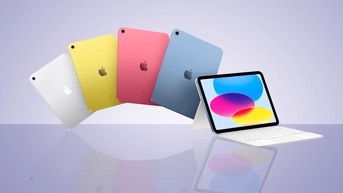
Hello and how the hell are you? If this is your first time here thanks for stopping by. In this blog we are going to talk about why the iPad 10th Generation changed the way that I edit my images. The main reason for buying the iPad was the fact that I wanted to get my computer replaced but I could not afford to do so with the cost of a newer laptop. I was going to replace my MacBook Air M1 2020 with another MacBook Air but the entry level cost was way to much for me. Then I noticed that ATT had a deal for the iPad 10th Gen. I went all in for the iPad and what it was going to be able to do for me.

I needed the the iPad to cover three key areas for me and handle it the darn thing does. The first thing that I needed it to do was give me the ability to write out my blogs and it does that with ease. I just love sitting down to type out a good blog every now and then on the MBA and it was so easy and just worked for me. The issue that I had was that I wanted a more mobile device to write on. The iPad was the next logical step for me in that. Yes I type out the blogs with a keyboard or with the on screen keyboard. I love and enjoy using both for it. The act of writing is what I enjoy the most on the iPad and it helps me get my thoughts out.
The next thing that I wanted the iPad for was simply just watching YouTube videos on how to get better at photography. I bought the cellular version of the iPad so that way I would be able to take it with me on the go and watch the videos where ever I wanted to. It also gave me a bigger screen than my phone so the experience is just better with a larger screen. Yes I could have just connected my laptop to the phone via the hotspot but that means that I would have to awkwardly hold the laptop where as the iPad is just held with one hand. The lounge factor to me is the main reason for watching videos on the iPad and I do that all the time when I am not working on photos or writing a blog.

Yes the last/third thing that I bought the iPad for was editing my photos with it. This you would think I would be using the apps by adobe but that is not the case for me. I use two apps for the photo editing that I am doing for my landscape photography. I use Photomator which is the Lightroom replacement and it has just about all the same features that you would get in Lightroom. I love masking that I get with the app and the AI denoise, and the AI upscaling that it offers for a lower price than paying for a year with Adobe. This alone is the main reason that I chose that app. Affinity Photo is my Photoshop replacement due to the tools that it gives me that are so close to the desktop version.
On the MBA I replaced Photoshop with Affinity Photo2 last year and the transition to the iPad was so easy that it was not funny. A lot of the usage is the same as it is on the desktop version and the changes that you have to make on the iPad are not that hard to learn if you have been using it for awhile. The iPad is the one computer that you didn’t know that you needed that is for sure. I love the power that the two apps give me for my editing. Yes I am able to do Focus stacking, Panorama stitching, HDR Blending, and Exposure Blending with composite work all in Affinity Photo. You see the need for a “real computer” is not what it used to be for sure.

The overall reason that my photo editing has changed is due to the changing of the apps that I use and really learning how to edit on the iPad. There is a simplistic way of editing on the iPad due to the fact that you have to find different ways of editing the same style of images that you are used to. I have been editing my images for the last six years and there is a certain way that I edit each image and I had to take all the complex edits and throw them out the window. I had to take a few steps back and re-learn how to edit. This was a good thing for me as I am getting back to a more natural look to my images instead of a over the top edit that I was doing on the laptops.
I have taken the iPad and ran with it for my editing needs. The iPad. Has become a computer of sorts for me that has replaced my laptop and the main reason for that is mobility. I wanted a better way of using my computer. I wanted to be able to just edit or write on the go with a lighter and smaller device. The power that my laptop has is triple that of the iPad but the iPad is that smaller and lighter computer to get the work done faster. The iPad is the one tool that will allow me to just get into the work. I just love working on the iPad to the point that it has become the device of choice. When it comes to just working on one thing at a time this is the computer for you. I have found that I am doing better work on the iPad due to just working in one app at a time.

To sum it up in one last paragraph the iPad is the one computer that you didn’t know that you needed until you actually put your mind around using it for what it is good for. Do not and I mean do not try to use the iPad as a regular computer because it is a mobile first operating system. This means that it is like using your phone instead of a traditional laptop/desktop. There are going to be new workarounds that you are going to have to do in order to using the iPad. The act of using touch input is the one thing that is going to change the way that you are going to interact with your new computer. I have found that the touch input connects me more with my work and that is the whole point of using the iPad instead of the traditional laptop/desktop. Enjoy from St. Johns AZ y’all.
 LocalNavy433 Photography
Leave a comment