

Hello, how the hell are you? If this is your first time here, thanks for stopping by. In this blog, we are going to talk about whether the iPad is a creative tool for you. The main question is: will the iPad handle your workflow? Can you use the iPad as a genuine laptop replacement? Will you stumble trying to replace your laptop with an iPad?

The short answers to all those questions are yes and no. Yes, the iPad can replace your laptop if that is what you want. Yes, you will stumble trying to replace your laptop with an iPad. Yes, an iPad will handle most of your workflow. The no side is as simple as No it will not be easy to do all of these actions. You will have to relearn how to compute with an iPad vs using a regular laptop. The main reason that people want to use an iPad to replace a traditional computing experience is that they like the idea of using the iPad in different settings, not actually using a laptop. The allure of using the touchscreen and versatility of the iPad is what draws you into the device.
The best and most powerful way to use the iPad is to think of it as a regular computer with a touch-first interface. The main way that most are using the iPad is for content consumption, and yes, that is what it was first originally designed for. The problem is that the iPad is always dismissed as just that: a content consumption device. I am here to tell you that the main benefit to using it as a content creation device is simple: slowing you down. Yes, the iPad will actually do just that. It will slow you down in your creation journey because of the touch-first interface and single-app usage of it. The single-app usage is the key for content creation.

This will give you more focus on the project that you are working on and not get distracted by being able to multitask. Yes, with the new iPadOS 26 update, that will change the way most people work on the iPad. For me, that will not change, and the main reason for that is when I am writing on the iPad, I only like to listen to music, and it already does that very well. I also just listen to music when editing my photos as well. The video creation process is totally different due to the fact that I need to listen to the person talking and then add in music to the videos.
I use the iPad to write out my scripts, edit my photos that I take, and then edit the video I made, and finally make the music that is in my videos. So, as you can see throughout the whole content creation process, I am using the iPad only for all the aspects of my creative journey. I love the one app at a time approach due to keeping me focused on what I am working on. The laptop I have found it is too easy for me to get distracted and always find myself doing something else when I should be working.

The main issue that you are going to run into when using an iPad-only workflow is simply the apps will try to hold you back. They only carry around ninety percent of the features that you get with the desktop-class level apps out there. I want to be upfront with you guys and gals: the iPad does have those limitations if you will, of not being on the same level as their app counterparts. This will either slow you down or you will not want to figure out how to use the iPad. This is the downfall for most people, and they stop before they see the true power of the iPad.
I was one of those people when the iPads first came out in 2010, and I used them until the 4th generation iPad, but they could not handle the workload other than writing. Now, with all that being said, today’s iPads with the M-series chips have little to no limits on what you can do with them. Yes, the apps are still not at the level of the desktop counterparts, and I don’t think they will ever truly get there. That is not a bad thing to me at least, and the main reason for that is I love a challenge to make do with what I have. I truly believe the struggle is what makes you grow as an artist, and the limits that you put on yourself force you to truly be creative.
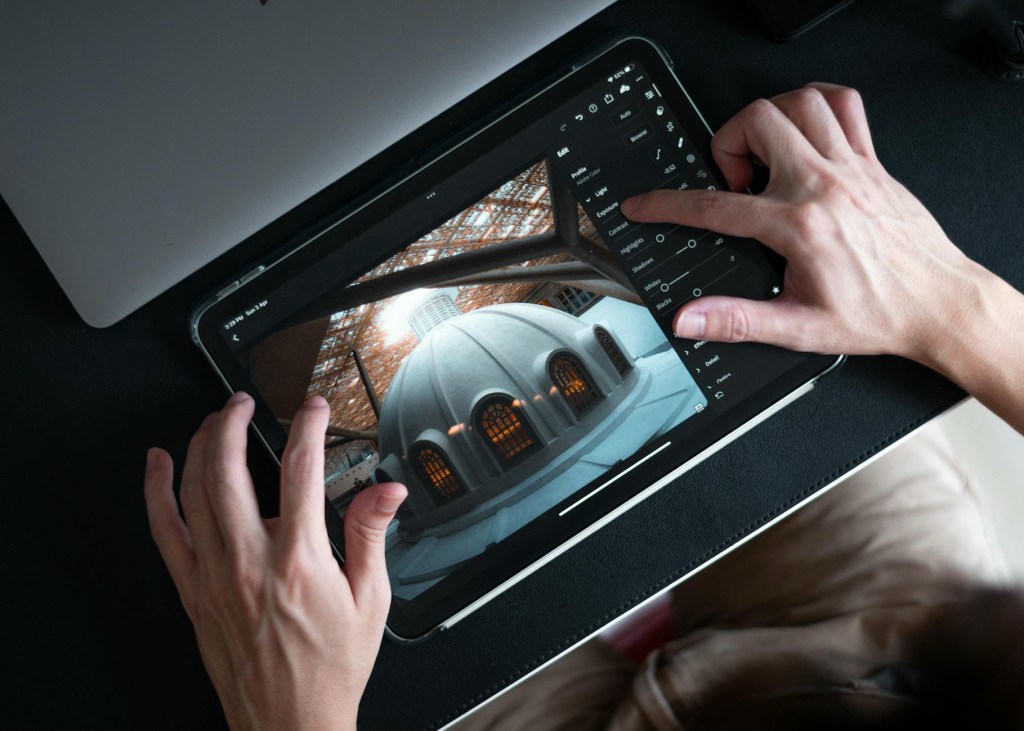
The iPad is a computer that will either make or break you as an artist. If you cannot get past the fact that there is a learning curve to doing things on the iPad. The main reason that someone would want to just use an iPad is because they really want to use it for their main computer. The choice is always going to be yours; don’t let the reviewers and the learning aspect slow you down. If you have a thought that the iPad will work for you, try it and make the workflow work for you. I am here to tell you it took me around nine months of working with just the iPad to figure out everything that it can and cannot do. The day that I realized I didn’t need my laptop anymore was so freeing to me. I love my iPad workflow now and will not go back to working on a traditional laptop because the touch interface is so ingrained in my workflow. I hope to hear what stories you have about making the switch to the iPad. Share those stories, and let’s build a community of iPad creators, y’all.
Introduction: Explores whether the iPad can replace a laptop for creatives and handle real workflows.
Main takeaway: The iPad can replace a laptop but requires relearning workflows; there is a learning curve.
iPad’s advantage: Touch-first interface slows you down, allowing more focus on creative projects.
Workflow benefit: Single-app usage encourages concentration and minimizes distractions.
Limitations: Apps are typically 90% as powerful as desktop counterparts, which may slow productivity or require creative problem-solving.
Personal experience: Took 9 months of using only the iPad to understand its capabilities; eventually replaced traditional laptop entirely.
Empowerment: Emphasizes embracing the challenge to foster creativity and growth as an artist.
Advice to readers: Try the iPad workflow, adapt it to your needs, and don’t be discouraged by reviews or the learning curve.
Community call: Encourages readers to share their iPad creative stories to build a community of iPad users.
 LocalNavy433 Photography
Leave a comment